How to Create a QR Code for Free: A Step-by-Step Guide
Learn the professional way to generate high-quality QR codes for websites, text, and WiFi without any hidden costs or account signups.
Generate high-quality, secure QR codes instantly. No signups, no tracking, and no expiration. The professional tool for businesses and individuals who value data privacy.
Choose QR type
QR preview will appear here
Enter details to enable download
From secure payments to instant connectivity, discover how FreeQR transforms everyday interactions into seamless digital experiences.
Empower your business with instant UPI QR codes. Whether you use Google Pay, PhonePe, or Paytm, our generator creates standard-compliant payment codes that make transactions seamless for your customers. Perfect for restaurants, retail stores, and service providers.
Stop typing long passwords. Generate a WiFi QR code to share your network credentials securely. Guests can scan to connect without ever seeing your actual WPA/WPA2 password. Ideal for cafes, hotels, offices, and public spaces.
Create a vCard QR code to share your professional contact details. Include your name, phone number, email, company, and website—allowing anyone to save your contact info with a single scan. Perfect for networking events and professional introductions.
Bridge the gap between offline marketing and online conversation. Create pre-filled WhatsApp messages or Email links that trigger automatically when scanned, perfect for customer support and lead generation.
Most QR generators track your users. FreeQR is different. Our client-side technology ensures your data never leaves your browser. We offer a 100% anonymous experience for both you and your users.
Generate and download QR codes in just a few simple steps.
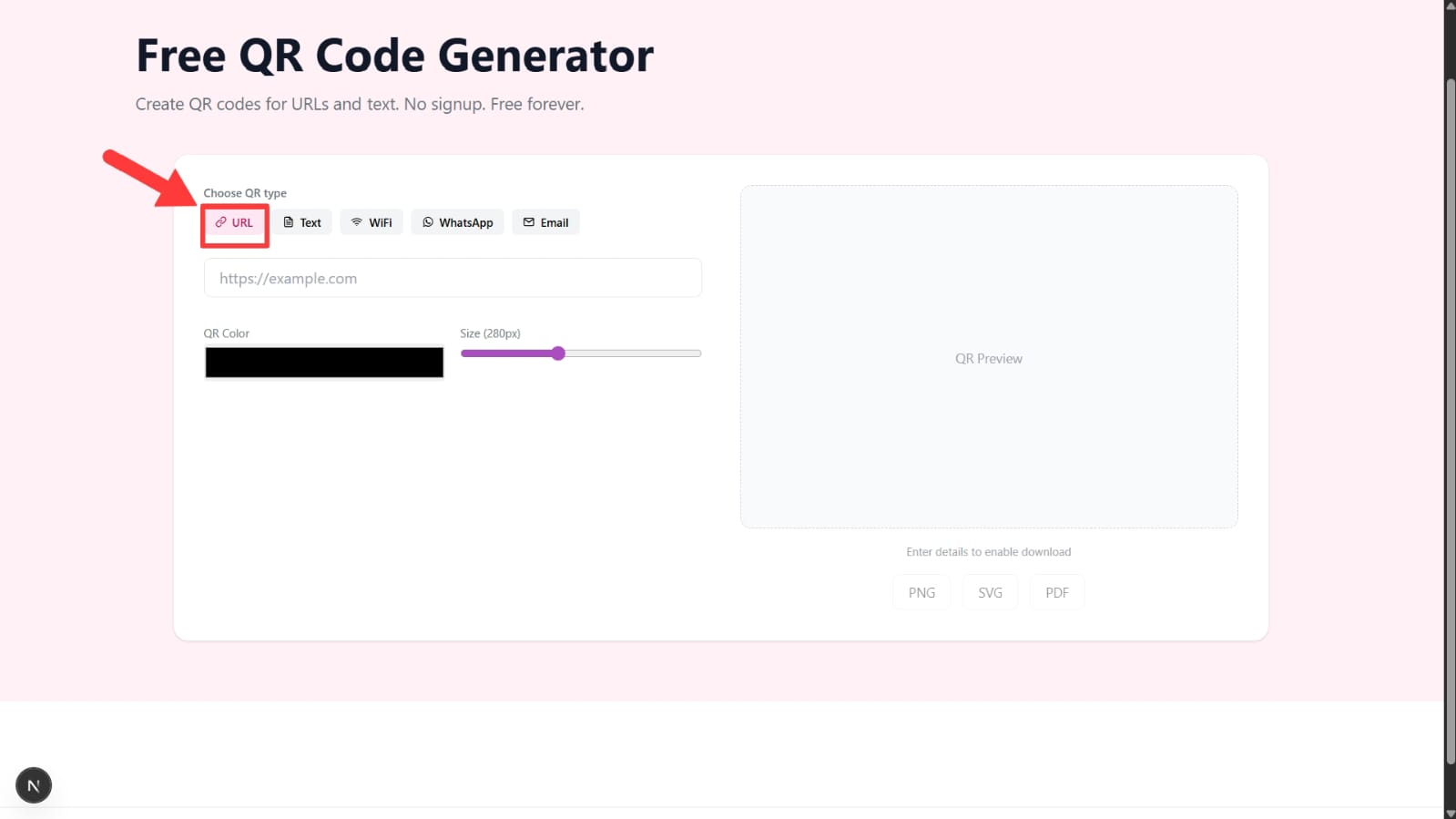
Select the type of QR code you want to create. FreeQR supports URL, Text, WiFi, WhatsApp, and Email QR codes.
You can switch between QR types at any time before downloading.
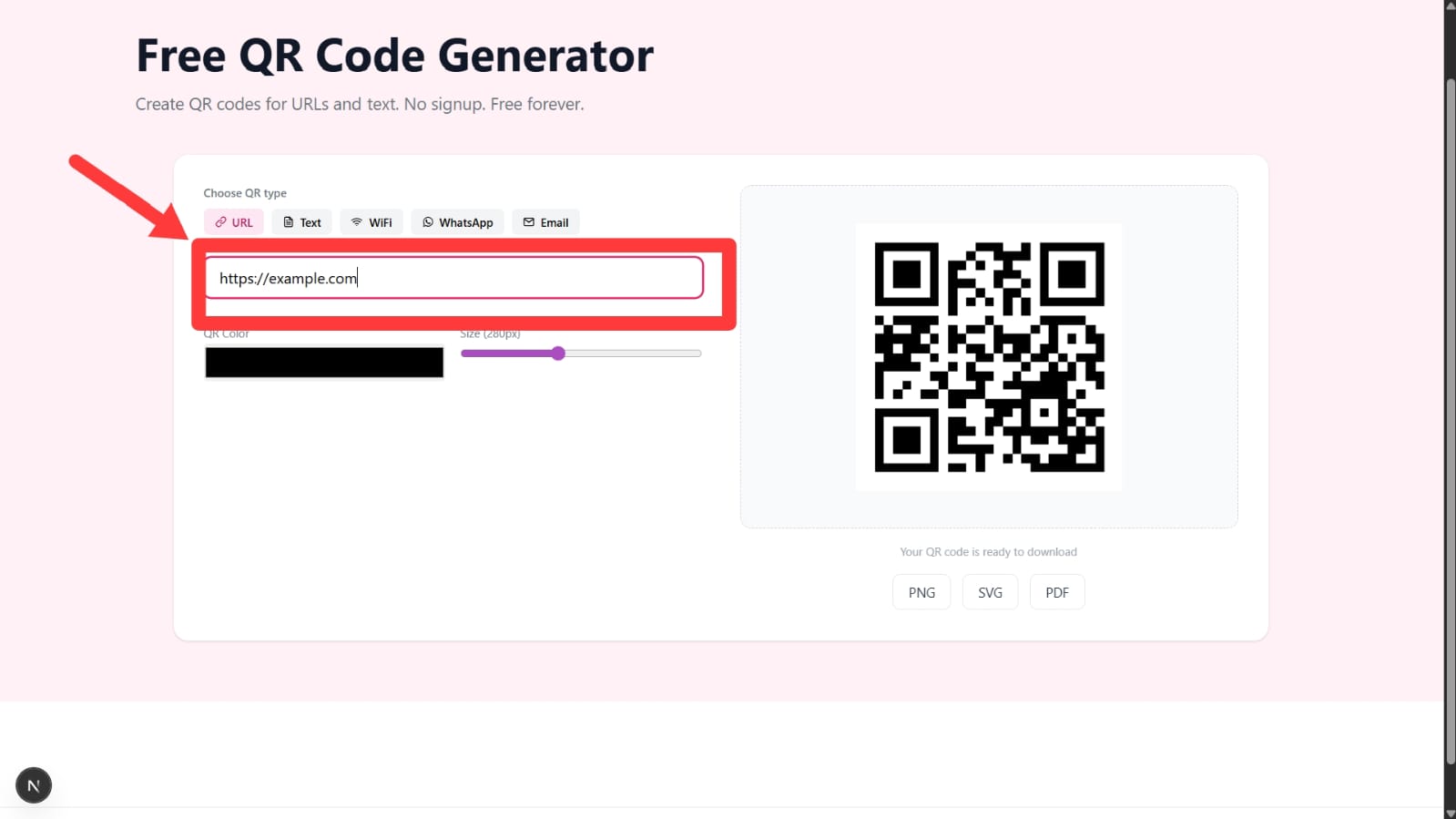
Fill in the information based on the selected QR type. For example, enter a website link for URL QR codes or network details for WiFi QR codes.
The QR preview updates automatically as you type.
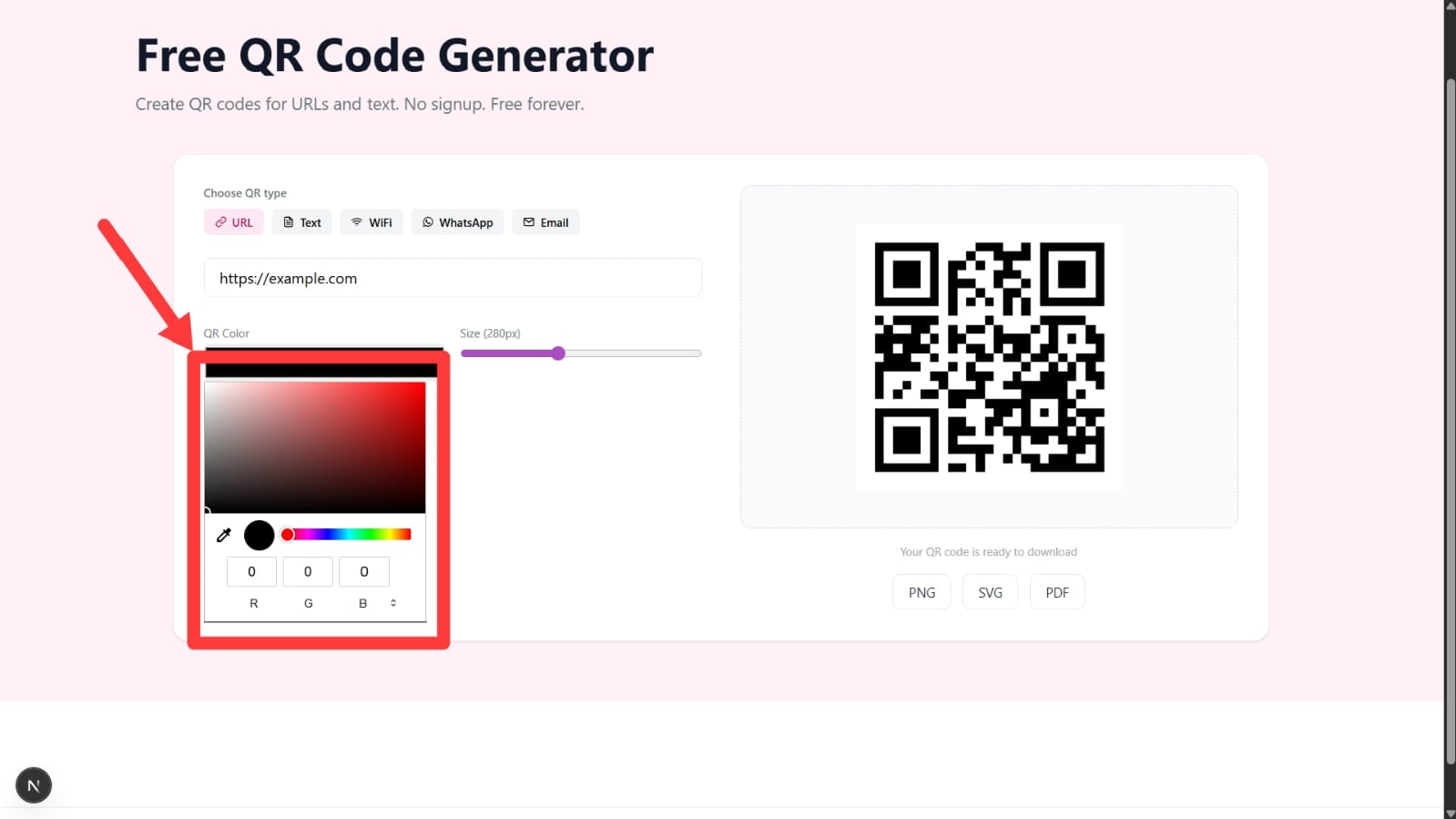
Customize the QR code by selecting a color and adjusting the size. This helps match your brand or design needs.
Tip: Dark colors scan better than very light colors.
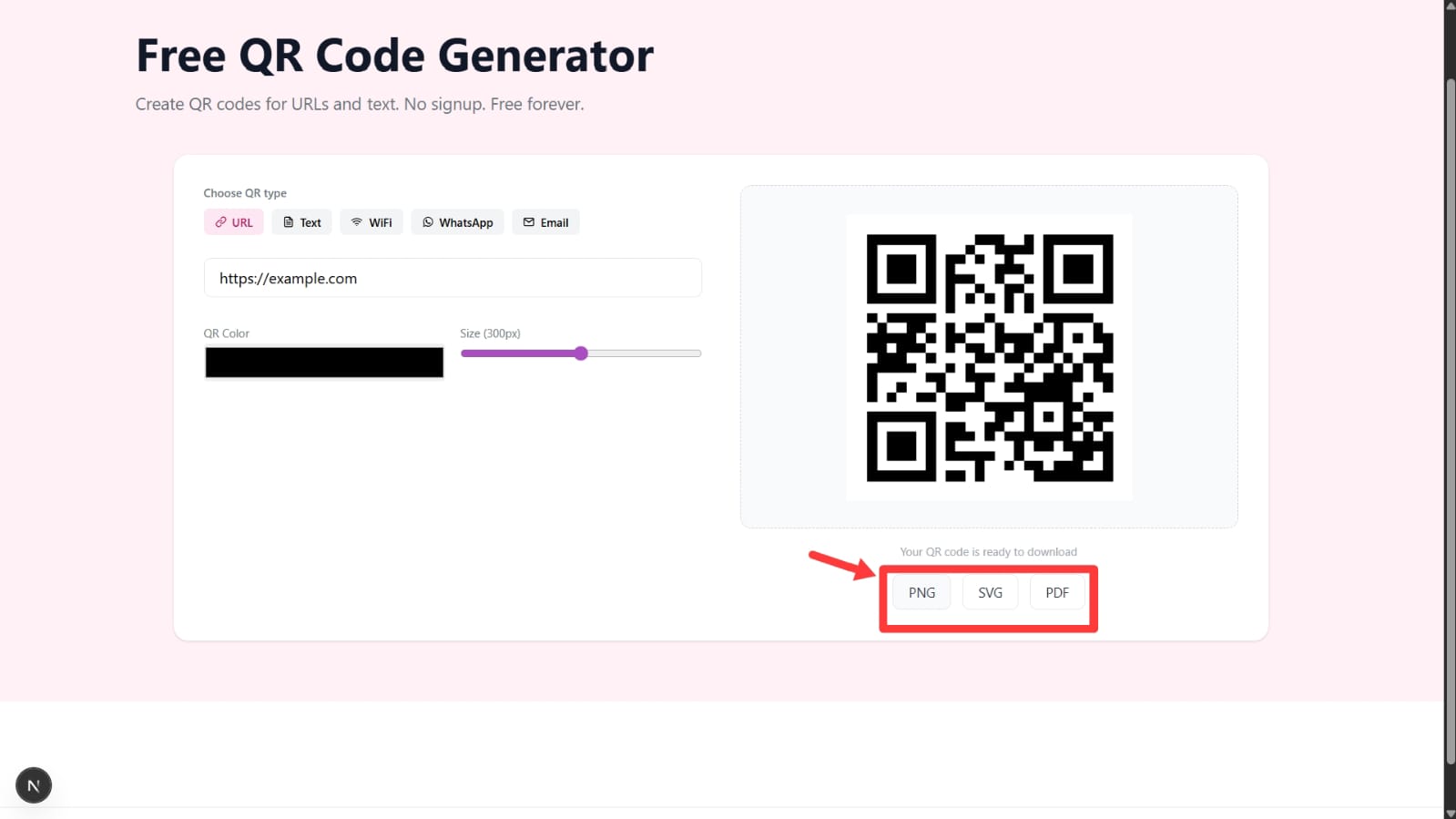
Once your QR code appears in the preview, download it in PNG, SVG, or PDF format depending on your use case.
Download buttons activate automatically when your QR code is ready.
FreeQR works entirely in your browser. Your data is not stored, and QR codes do not expire. You can use them for both personal and business purposes.
See how FreeQR helps businesses streamline their operations and enhance customer experiences.
Restaurant Owner
"FreeQR's UPI payment codes have revolutionized our billing system. Customers can pay instantly without waiting for change. Our transaction volume increased by 40% since implementing QR payments."
Cafe Manager
"The WiFi QR codes are a game-changer for our cafe. Guests connect instantly without asking for passwords. It's faster, more secure, and our customers love the convenience."
Marketing Consultant
"As a consultant, I need professional tools. FreeQR's customization options and privacy focus make it perfect for client work. The vCard QR codes have streamlined my networking process."
Guides, tutorials, and best practices for using QR codes effectively.
Learn the professional way to generate high-quality QR codes for websites, text, and WiFi without any hidden costs or account signups.
Stop sharing plain-text passwords. Learn how WiFi QR codes work, why they are more secure, and how to generate one for your home or office.
Explore the strategic implementation of QR codes in modern business—from digital restaurant menus to seamless UPI payment systems and lead generation.
Which QR code is right for your project? Understand the technical differences, cost implications, and privacy benefits of static vs dynamic QR technology.
Learn how to create a UPI QR code for Google Pay, PhonePe, Paytm & BHIM. Free, no signup required, and works for business payments.
Learn how to transform your physical marketing materials into digital conversion machines using strategic QR code placements.
Are QR codes safe? Learn about 'Quishing,' how to identify malicious codes, and why privacy-first generators are essential.
Discover how a dedicated UPI QR code can streamline your business payments, reduce transaction costs, and provide a better experience for your customers.
Don't get trapped by subscription-based QR codes. Learn the differences between static and dynamic codes, and why free tools like FreeQR are often the smarter choice.
Revolutionize your dining experience. Learn how to use QR codes for digital menus, faster payments, and customer loyalty without monthly fees.
Turn your website visitors into WhatsApp contacts instantly. Learn how to create QR codes for WhatsApp Business to automate customer support and sales.
Learn how to create, organize, and deploy bulk QR codes for large campaigns, events, product labels, and business operations.
Carry your digital business card, WiFi access, or personal links everywhere. Learn the easiest ways to add a custom QR code to your Apple Wallet for instant access.
Master the art of converting URLs to QR codes. Learn the best practices for design, real-world examples, and how to avoid scanning failures.
Stop losing leads to manual data entry. Learn how a vCard QR code can instantly save your contact details, photo, and social links to any smartphone.
Explore our comprehensive guides and technical FAQs to get the most out of your QR codes.